


List the event name, purpose, date, time, venue, participants, price or registration, URL, and required sponsor information. Rank them by what the audience must notice first. Move schedules and detailed descriptions to another surface when they prevent the poster from working at normal viewing distance.
Event Poster Design That Leads with the Event
Explore event poster design for music, cultural, community, conference, market, and exhibition settings. Compare bold, minimal, colorful, editorial, retro, and experimental directions by information hierarchy and viewing distance. Select references that fit the audience and venue, then generate a coordinated event direction in PromeAI.
Explore Event Poster Design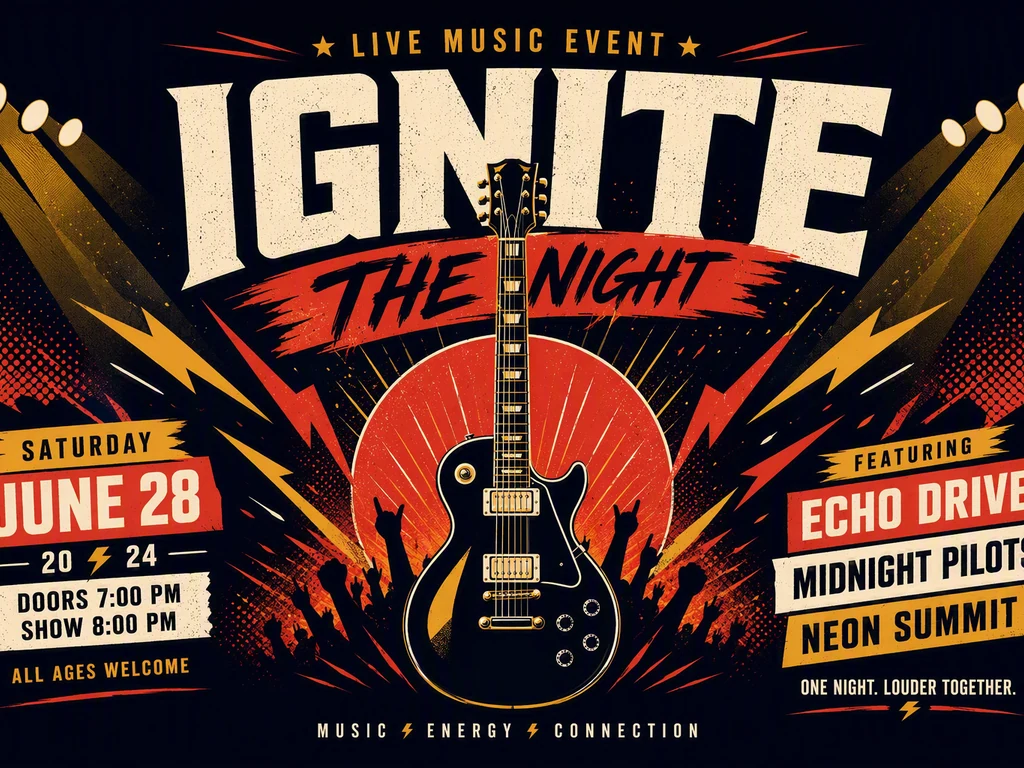
Event Poster Design by Audience, Venue, and Viewing Distance
Decide what viewers must know in the first seconds: event name, subject, date, place, or speaker. Street posters, venue signs, and social posts require different text scale and detail. Compare the six references for headline dominance, date visibility, image role, lineup or schedule space, contrast, sponsor area, accessibility, and whether the event remains identifiable in a small crop.

Combine Event Identity with a Clear Reading Order
Use one reference for hierarchy, another for image or motif, and another for palette. Keep the event name and critical logistics ahead of decorative text, and reserve space for confirmed partner marks or required notices. Generated content is not reliable event copy; all names, dates, venues, links, credits, rights, and output settings need verification.
How to Build an Event Poster with Clear Visual Hierarchy
Use type, image, color, and composition to signal the event category and tone without relying on unlicensed logos or generic effects. A conference and a music night can both be bold, but their trust, detail, and reading requirements differ. Test the concept with someone unfamiliar with the event.
Rebuild all text, verify names, dates, time zones, addresses, prices, links, accessibility, and partner marks, then create layouts for print and digital crops. Confirm image and font rights, resolution, color, bleed, margins, QR-code testing, printer specifications, and platform-safe areas.
Frequently Asked Questions
What information should an event poster include?
Include the event name or subject, date, time, venue, and the next action such as registration, ticketing, or a website. Add participants, price, age limits, accessibility, sponsors, or schedule details only when necessary. The reading order should remain clear at the poster's expected viewing distance.
How do I make an event poster easy to read?
Prioritize one headline, make the date and place easy to locate, use strong contrast, and reduce secondary copy. Keep text off busy image areas and test the design as a thumbnail and at print distance. Move long descriptions or schedules to a linked page rather than shrinking everything.
Should an event poster include a QR code?
It can when mobile scanning is realistic and a short visible URL or alternative action is also provided. Give the code clear space, adequate size, and strong contrast, and test the final printed or displayed version on several devices. Never rely on a generated or unverified code.
Can I combine several event-poster styles?
Yes. Use one reference for hierarchy, another for image treatment, and another for color or texture. Keep the audience and event tone consistent, and avoid several display fonts or effects competing with the date and venue. Each style contribution should improve communication, not only add visual energy.
Is the generated event poster ready to publish?
No. Generated names, dates, addresses, links, sponsor marks, and small text may be wrong. Rebuild and proof all content, verify image, logo, and font rights, test any QR code, and prepare the correct size, resolution, color, bleed, margins, accessibility, and platform specifications before publication.