 Unlimited 4K video generation for Pro | Seedance 2.0 Mini is 90% off! Hurry, deal expires in Upgrade
From Idea to Photorealistic Image in a Few Natural Steps
Stop letting great ideas get lost in translation. PromeAI’s Sketch Rendering tool breathes life into your concepts, transforming rough drawings, line art, photos, and even basic 3D models into stunningly realistic images in seconds. Our intuitive design process empowers you to visualize, iterate, and present finished designs faster than ever before. This is the ultimate tool to convert a drawing to a realistic image, streamlining your creative journey from concept to final design.
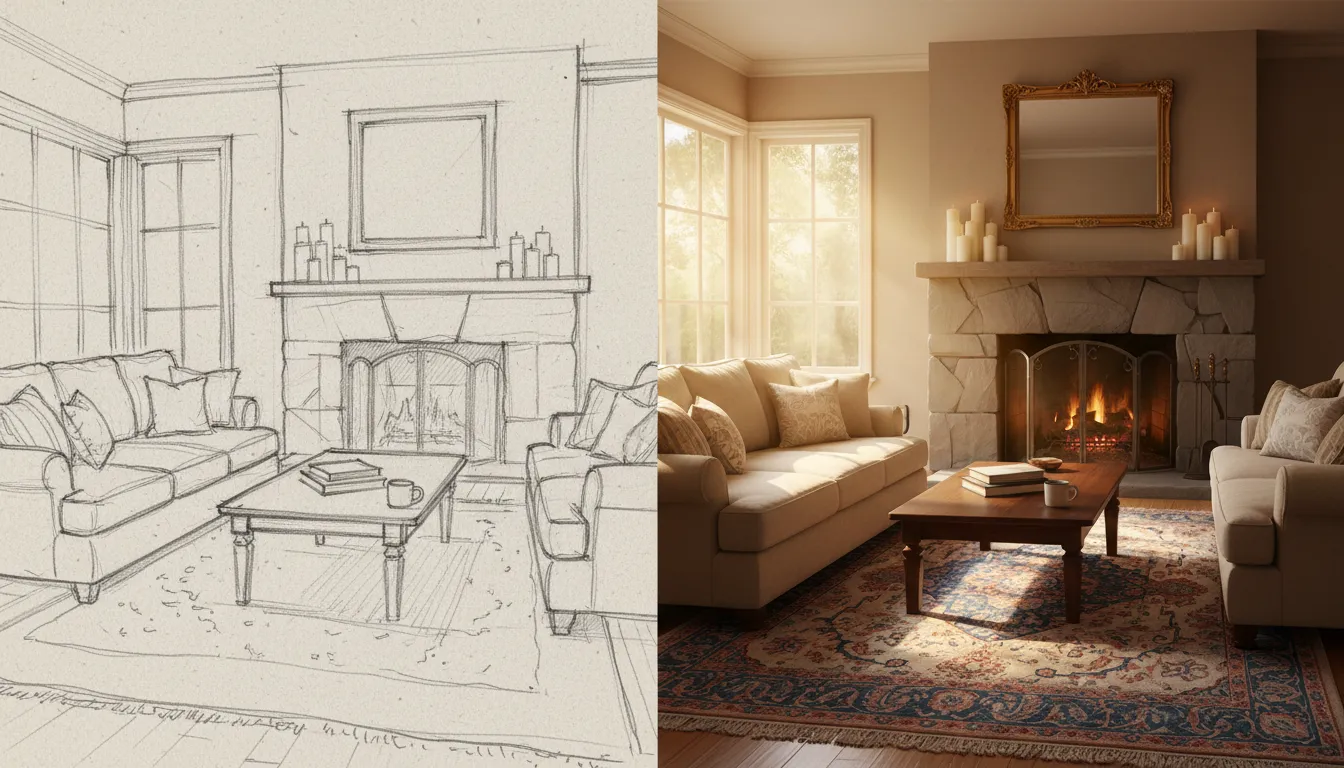
Your Idea to Visualization in 3 Natural Steps
Upload Your Concept: Start by uploading your hand-drawn sketch, line art, photo, or 3D model file. Our tool is designed to interpret a wide variety of visual inputs.
Define Your Vision: Use simple text prompts to describe the final image. Select a style from our extensive library, or upload a reference image to guide the AI on color and mood.
Generate & Refine: Click 'Generate' and watch your photorealistic image appear in seconds. Use advanced settings to adjust details until your vision is perfectly realized.
The Future of Your Design Workflow
Render from Any Starting Point
Your creative process is unique, and your tools should adapt to you. PromeAI accepts a wide range of inputs, from a napkin sketch to a detailed CAD drawing or a 3D 'white model' (.obj, .fbx). This flexibility ensures a seamless sketch to render workflow, whether you're at the very beginning of interior design concept development or finalizing an architectural model. Simply upload your source and watch the magic happen.

Achieve Realism at Unmatched Speed
In design, time is your most valuable asset. PromeAI provides fast rendering for designers, generating high-quality visualizations in mere seconds. This incredible speed makes it the perfect quick design iteration tool, allowing you to explore dozens of material combinations, lighting setups, and style variations in the time it used to take to create a single render. Get client feedback faster and accelerate your project timelines dramatically.

Maintain Full Creative Direction
AI-powered tools shouldn't mean sacrificing control. PromeAI puts you in the director's chair with a suite of advanced settings. Choose between rendering models optimized for speed or detail, select from over a thousand styles, and fine-tune everything from perspective to lighting. Use Negative Prompts to exclude unwanted elements, ensuring the final photorealistic image from your sketch perfectly matches your vision. It's user-friendly rendering software built for professionals.

Automate Your 3D Visualization
Say goodbye to the tedious process of texturing and lighting 3D models. Our AI for architectural visualization understands geometry and form, allowing for easy 3D model rendering directly from untextured files. Upload your model, provide a simple text prompt, and PromeAI generates a fully realized scene. This design workflow automation saves countless hours, making it an indispensable tool for architects, product designers, and 3D artists.

Your Questions, Answered
Ready to See Your Ideas Come to Life?
Join thousands of designers who are accelerating their workflows and amazing their clients. Follow the Natural Steps from sketch to stunning reality with PromeAI.

Technical support: tech@promeai.pro
Business collaboration: business@promeai.pro