


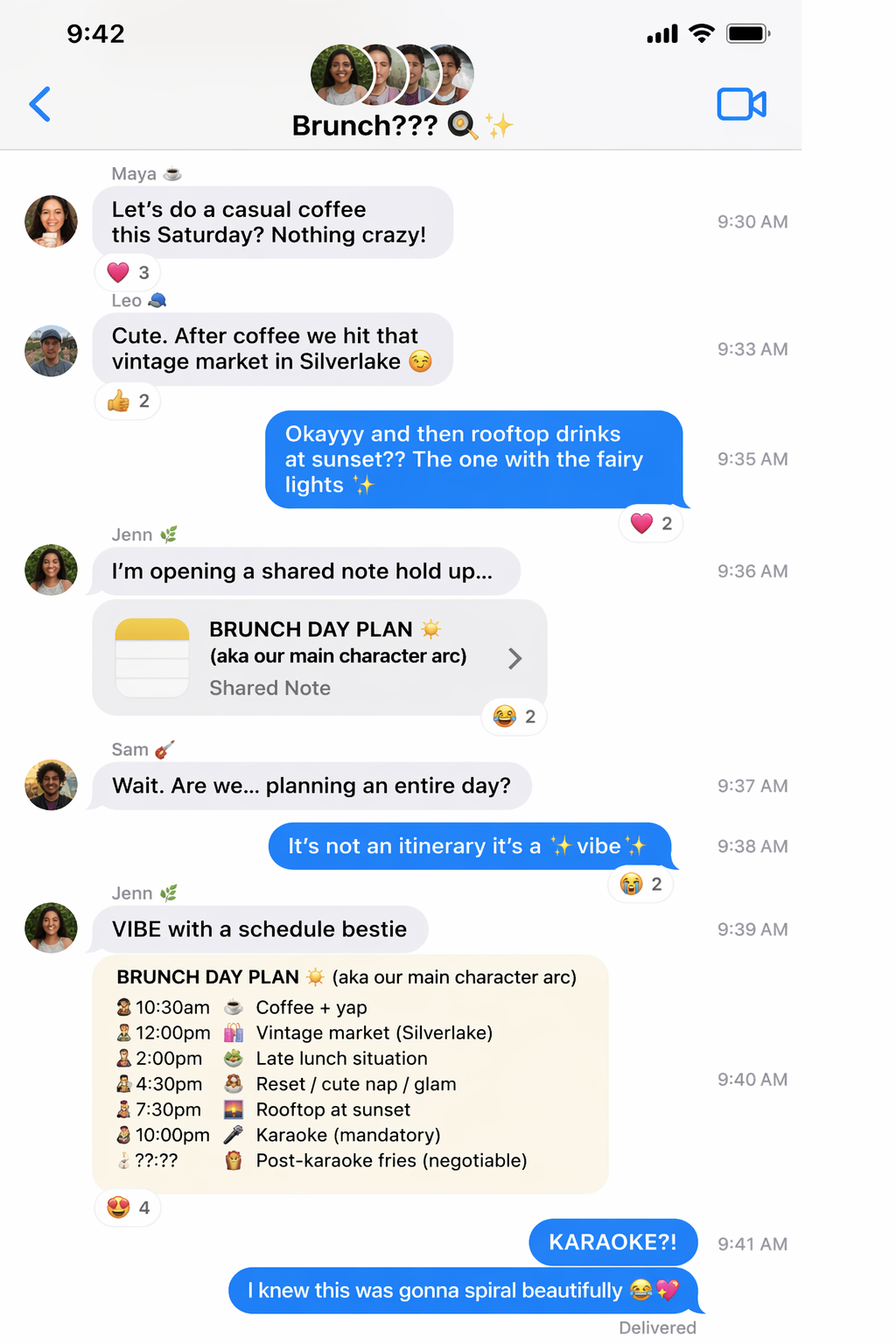
Text Thread Screenshot
A fictional group-chat or text-thread style screenshot with structured message pacing.
Risultato
Text Thread Screenshot
autoSize · lowQuality
Conversation Screenshot Template
Create a Fictional Text Thread Screenshot
The Text Thread Screenshot template turns a topic, message beats, and tone into a readable fictional chat image. PromeAI uses GPT Image 2 to build conversation-style visuals for jokes, story concepts, campaign drafts, and social posts.
What This Template Creates
Generate a chat-style screenshot with message bubbles, pacing, and visual tone based on your conversation idea.
How PromeAI Shapes the Thread
PromeAI and GPT Image 2 use your thread topic and message beats to create a coherent exchange, helping the conversation feel structured rather than random.
Tips for Better Results
Write message beats in chronological order. Include a setup, escalation, twist, and ending so the generated thread has a natural rhythm.
Review and Rights Guidance
Use this template for fictionalized or consent-based content. Avoid exposing private conversations, phone numbers, personal data, or messages that could be mistaken for real evidence.
FAQ
Yes. Add clear beats and a tone such as dry, chaotic, wholesome, dramatic, or deadpan.
PromeAI Image Generation
Access the Full Creative Power of PromeAI
Templates are a fast starting point. Explore PromeAI's full AI image generation workspace to create original visuals, refine prompts, and build more custom image concepts from scratch.

"Prome" deriva da "Pro" e "Me," il che significa Prometeo - la figura mitologica che rubò il fuoco agli dei e lo portò agli esseri umani. Proprio come Prometeo, miriamo a migliorare l'intelligenza umana con il potere dell'intelligenza artificiale. Collaboriamo per creare un nuovo prodotto che trasformi ogni individuo in un professionista o "Pro."
神采AI ha potenti assistenti di design basati sull'intelligenza artificiale e un'ampia libreria di stili del modello AIGC controllabile (C-AIGC), che ti consente di creare facilmente opere d'arte AI straordinarie, immagini, grafica, video e animazioni. 神采AI è uno strumento essenziale per principianti, architetti, designer d'interni, designer di prodotti e designer di giochi/animazioni.
Supporto tecnico: tech@promeai.pro
Collaborazione commerciale: business@promeai.pro
Seguici
di Team LibAI
Strumenti AI
Rendering di schizzo
Rendering di Coerenza
Rendering della regione
Generatore di Immagini AI
Fusione Creativa
Foto in Schizzo
Cancella e Sostituisci
Variazione dell'immagine
Supermodella AI
Generatore di sfondo AI
Outpainting
Effetti di testo
Riaccendere
Immagine in Video
Testo in Video
Upscaler HD
Generatore di ritratti AI
Generatore PNG AI
Rimuovi sfondo
Caratteristica
Generatore di sfondo AI
Fusione Creativa
Supermodello AI
Cancella e Sostituisci
Effetto Testo
Variazione Immagine
Rendering Schizzo
Foto a Schizzo
Ridimensionatore AI
Upscaler HD
Rimuovi Sfondo