


templates
Animation transfer and camera tracking prompt
Animation transfer and camera tracking prompt template adapted from the awesome GPT-image-2 prompt collection for animation key visual generation. Credit: awesome-gpt-image2-prompts.
결과
Animation transfer and camera tracking prompt
autoSize · lowQuality
Animation Key Visual
Create Animation transfer and camera tracking prompt concepts with GPT Image 2
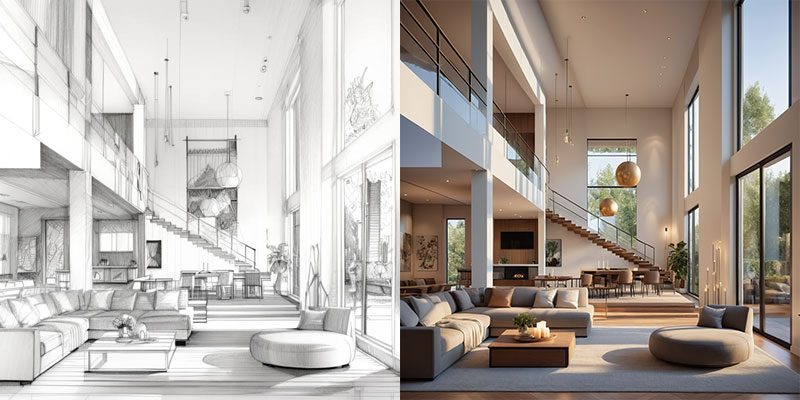
Animation transfer and camera tracking prompt turns a fields-or-image-plus-fields workflow that can start from Scene Subject, Key Action, and Camera Mood or a Source Image reference into animation transfer and camera tracking prompt concept for animation key visual generation. It gives creators a polished animation key visual direction in PromeAI while keeping the output framed as an editable concept draft.
Visual Outcome
Use this template to generate animation transfer and camera tracking prompt concept for animation key visual generation. The output works best as early animation key visual exploration, mood direction, stakeholder review material, or a fast comparison point before production work.
Generation Approach
PromeAI combines GPT Image 2 with a fields-or-image-plus-fields workflow that can start from Scene Subject, Key Action, and Camera Mood or a Source Image reference and the template's animation key visual styling. The structured prompt helps anchor the subject, layout, and visual hierarchy while still allowing creative variation.
Input Tips
Scene Subject (Main thing the image should be about, in a short phrase); Key Action (Key details that should visibly appear in the result); Camera Mood (Color, style, lighting, or composition direction). Start with Scene Subject like "animation transfer and camera tracking prompt", Key Action like "main action beat", and Camera Mood like "cinematic camera and mood", then replace defaults with concrete project details, short copy, and visual constraints.
Practical Checks
When you provide Source Image, use only images you have permission to transform and treat the result as a generated mockup. Before public or commercial use, describe broad visual qualities and avoid implying affiliation with a specific studio, franchise, artist, or brand; Keep the result commercially clean, non-infringing, and free of watermarks unless user-provided text is explicitly part of the design.
FAQ
It creates animation transfer and camera tracking prompt concept for animation key visual generation for animation key visual exploration, with fields that control the subject, style, layout, and supporting details.
PromeAI Image Generation
Access the Full Creative Power of PromeAI
Templates are a fast starting point. Explore PromeAI's full AI image generation workspace to create original visuals, refine prompts, and build more custom image concepts from scratch.

"Prome"은 "Pro"와 "Me"에서 파생되었으며, 신들로부터 불을 훔쳐 인간에게 가져온 신화 속 인물 프로메테우스를 상징합니다. 프로메테우스처럼, 우리는 인공 지능의 힘으로 인간 지능을 향상시키고자 합니다. 모든 개인을 전문가 또는 "Pro"로 변모시키는 새로운 제품을 함께 만들어갑시다.
神采AI는 강력한 AI 주도 설계 보조 기능과 광범위한 제어 가능한 AIGC(C-AIGC) 모델 스타일 라이브러리를 갖추고 있어, 여러분이 쉽게 놀라운 AI 아트, 이미지, 그래픽, 비디오 및 애니메이션을 창조할 수 있게 해줍니다. 神采AI는 아마추어, 건축가, 인테리어 디자이너, 제품 디자이너 및 게임/애니메이션 디자이너에게 필수적인 도구입니다.