Nano Banana 2 — Google's Newest Gemini Image Model in PromeAI

Google's latest Gemini image model — Pro-level quality at Flash speed, multi-language text rendering, and sharper detail than the original Nano Banana. Free in PromeAI.

Nano Banana 2 vs other Gemini image models

Compare Nano Banana 2 against its siblings and competing frontier image models — all in one PromeAI workspace.

Nano Banana 2 prompt examples

Three reference prompts that play to Nano Banana 2's improvements: multi-language text, lighting, and textured surfaces.

Multi-language campaign visual

A clean product hero for a Japanese tea brand, matte green ceramic teacup on a light wood table, steam rising, soft north-window light, the kanji 茶道 rendered in elegant brush calligraphy on the side of the cup, the english tagline 'Slow tea, fast life' in small clean type at the bottom, muted earth-tone palette.
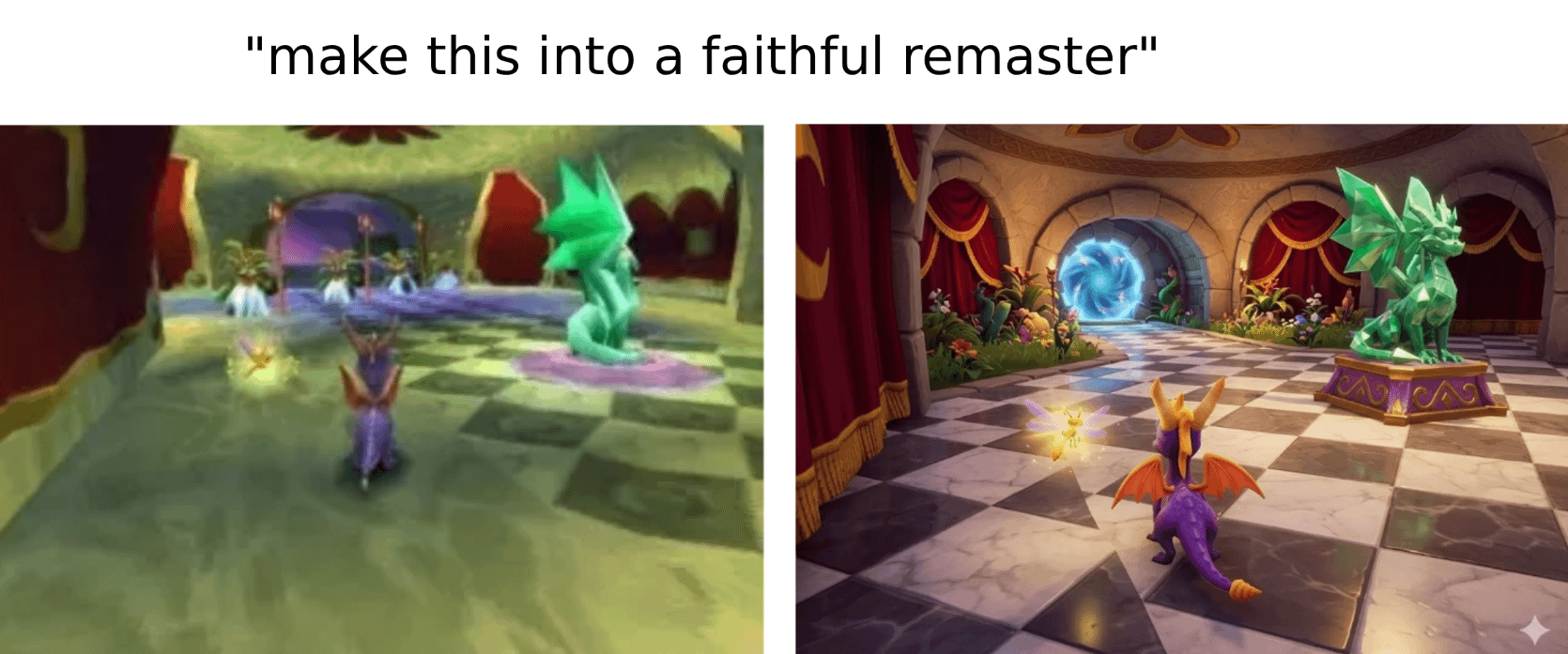
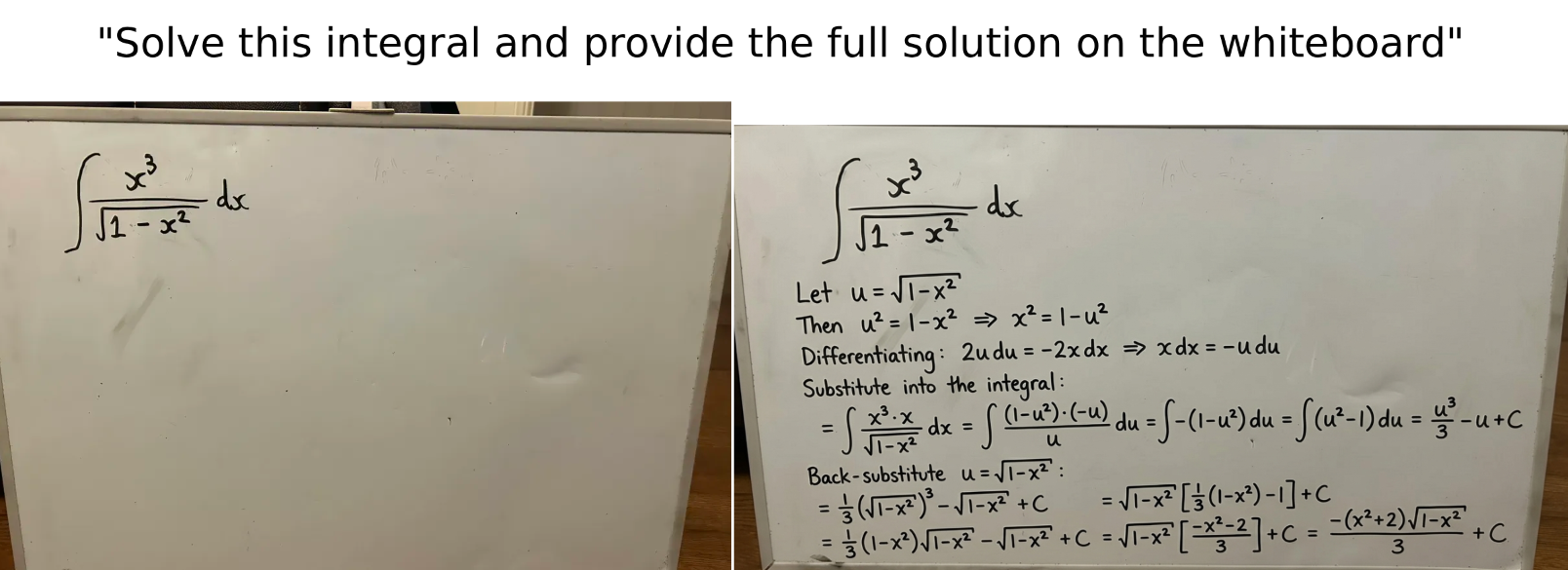
Nano Banana 2 CRAZY image outputs — singularity

Studio lighting with vibrant color

A red enamel motorcycle helmet on a glossy black plinth, dramatic studio rim lighting, deep red highlights, mirror-clear reflections on the plinth, dust motes catching backlight, product photography with rich color and high contrast.

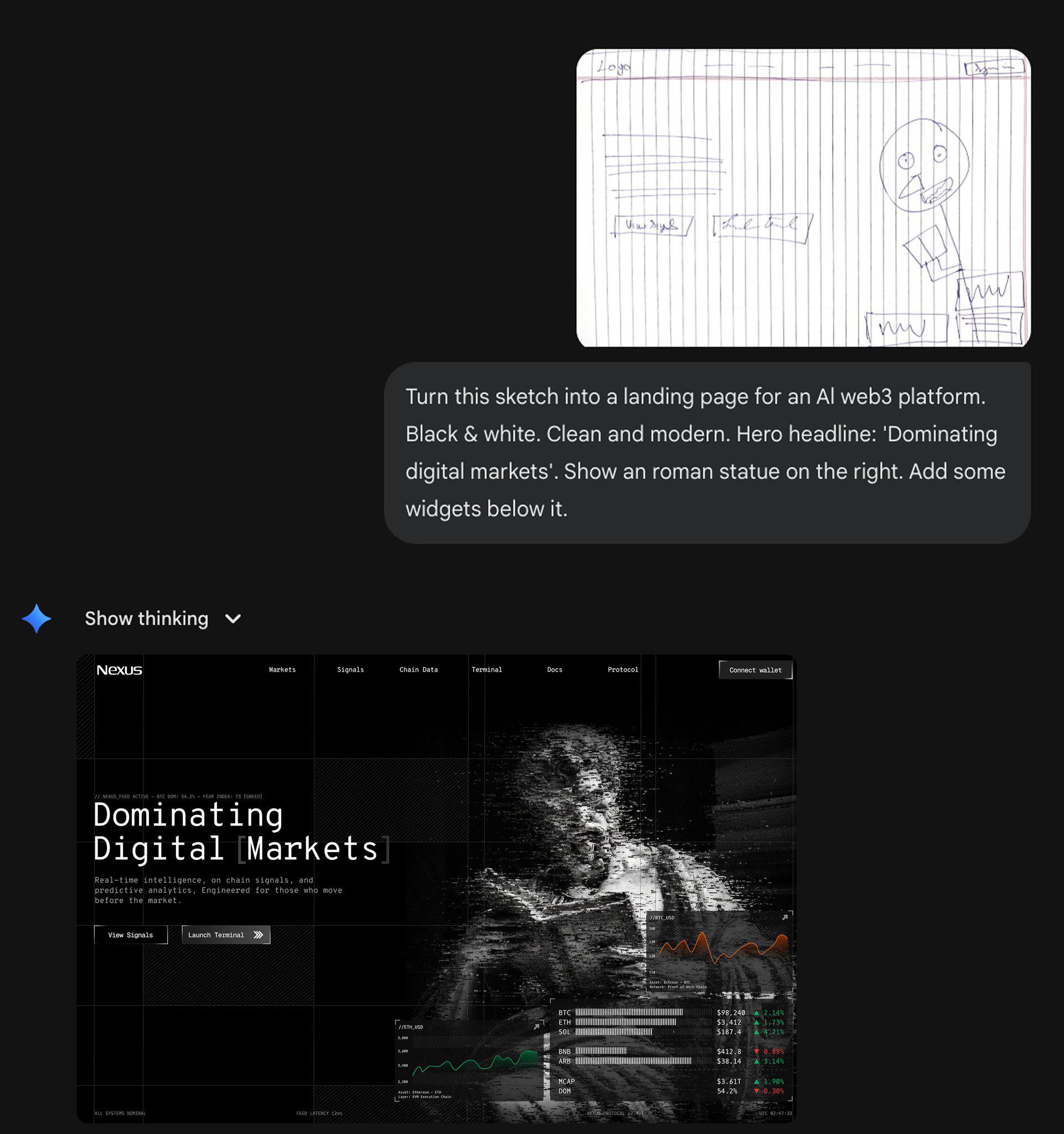
Nano banana 2 . It's over for designers — IndiaTech

Textured architectural detail

A close-up of a weathered Moroccan tile wall in the medina of Fez, intricate geometric patterns in indigo and ochre, sunlight grazing the surface from low-left, fine grout texture visible, slight wear and chips revealing age, photographed at f/8 for sharp detail across the frame.

Nano-banana 2 is AVAILABLE on medio.io — singularity

How to Use Nano Banana 2 on PromeAI

Powered by Gemini 3.1 with native 4K and Chain-of-Thought reasoning.

  1. 01

    Sign up to PromeAI

    Sign up gets 100 free credits — use them to test the 4K output and multi-reference capabilities.

  2. 02

    Pick Nano Banana 2 in the generator

    Upload up to 14 reference images per project to combine sources. Configure the "Thinking Level" for complex prompts.

  3. 03

    Describe and generate

    Outputs native 4K with industry-leading multi-subject consistency. Supports extreme aspect ratios (4:1, 8:1) for banners and panoramas.

Nano Banana 2 tutorials on YouTube

Creator tutorials covering Nano Banana 2's improvements over the original — multi-language text, lighting, and comparison tests.

The New Gemini Image Generator is Insane (Nano Banana 2)

Google just quietly dropped a massive upgrade to the Gemini App! The default image generator has officially been replaced by "Nano Banana 2" (officially known as the Gemini 3 Flash Image model), and the new features are incredible. In this…

Watch on YouTube ↗

How to Generate 4K Images with Gemini NANO BANANA 2

👉 In this video, I will show you two ways to get true 4K images out of Gemini Nano Banana 2 since the standard Gemini platform caps you at 2K. One method uses Google AI Studio with your own API key, and the other is a completely free…

Watch on YouTube ↗

100% Control of AI Image Editing with this simple trick! (Gemini Nano Banana 2)

In this video, I show you a powerful trick that gives you 100% control over AI image editing using Gemini and the Nano Banana 2 model. Instead of guessing prompts and hoping the AI changes the right part of the image, you can convert the…

Watch on YouTube ↗

How to Make & Edit Images with Nano Banana for Beginners

Subscribe to the channel for more AI tutorial videos just like this one! Google's Nano Banana AI is incredible at generating and editing images, and you can use both Nano Banana and Nano Banana Pro for FREE right now in Gemini! Watch this…

Watch on YouTube ↗

New Nano Banana Update: How to Use Nano Banana 2

There’s a new Nano Banana in town! 🔔 SUBSCRIBE for more Tech Tips: https://www.youtube.com/tasiacustode?Sub_Confirmation=1 Support me here: https://ko-fi.com/tasiacustode Become a Patron: https://www.patreon.com/TasiaCustode Hey friends!…

Watch on YouTube ↗

How to Generate an Image with Google Gemini (Nano Banana 2) 🎨 [2026 Update]

How to Generate an Image with Google Gemini (Nano Banana 2) 🎨 [2026 Update] Have you ever had a brilliant idea for a marketing graphic or a unique piece of art and wished you could create it instantly? In this video, I will show you…

Watch on YouTube ↗

Nano Banana AI Tutorial | How to Use Google’s Free Tool (Step-by-Step)

What if you could turn yourself into an action figure, stand in front of your own store, or even sail down a chocolate river — all in minutes? 🍪✈️ In this video, we'll walk step-by-step through Google’s brand-new Nano Banana AI, the…

Watch on YouTube ↗

Nano Banana 2 in Google Flow: Full Tutorial for Beginners

Learn how to use Nano Banana 2 in Google Flow to generate and edit AI images quickly and efficiently. This beginner-friendly tutorial shows how to create projects, upload reference images, guide the model with prompts, and refine results…

Watch on YouTube ↗

Is AI Rendering finally READY? Nano Banana 2 is HERE!

In this video, we use Google's AI Image generator, Nano Banana, to create realistic renderings of our SketchUp models - no render engine required! Learn SketchUp with me! THE SKETCHUP ESSENTIALS COURSE…

Watch on YouTube ↗

Edit ANY AI Image With This JSON Trick | Gemini Nano Banana 2

The Nano Banana JSON Trick for Perfect AI Images — Edit Text, Swap Objects & Clone Photography Styles in Gemini (FREE) Stop regenerating your AI images over and over. In this video, I'll show you the one JSON trick in Google Gemini that…

Watch on YouTube ↗

How to Switch to NANO BANANA PRO in Gemini AI When Creating Images

👉 In this video, I will show you how to switch to Nano Banana Pro in Gemini AI for enhanced image generation, with a quick overview of the main differences between Nano Banana and Nano Banana Pro so you can choose the right model for…

Watch on YouTube ↗

Claude Code + Nano Banana 2 = This Changes Everything

Huge thanks to Skywork for sponsoring a portion of this video! 🚀 You can actually use the same image generation models we covered today - ChatGPT Image 2.0 and Nano Banana 2 - directly inside Skywork to automate your visual workflows. 👉…

Watch on YouTube ↗

Nano Banana 2 discussions on Reddit

r/Bard, r/GeminiAI, and r/singularity threads tracking the Nano Banana 2 release and what changed since the original release.

Nano Banana 2 posts on X

Hand-picked X posts with Nano Banana 2 outputs, side-by-side comparisons against the original Nano Banana and Nano Banana Pro.

Nano Banana 2 FAQ

Direct answers to the questions creators ask most about Google's Nano Banana 2.

What is Nano Banana 2?

Nano Banana 2 is Google's most recent Gemini image generation model — delivering Pro-level quality at the speed of the original Nano Banana. It supports multi-language text rendering inside images, vibrant lighting, richer textures, and sharper details than the first Nano Banana.

How is Nano Banana 2 different from Nano Banana Pro?

Nano Banana Pro (Gemini 3 Pro Image) targets maximum quality with longer latency. Nano Banana 2 targets Pro-comparable quality at faster speed. Use Pro for hero / final assets and Nano Banana 2 for fast iteration. Both are in PromeAI's model dropdown.

Does Nano Banana 2 render text inside images?

Yes. Nano Banana 2 is one of the strongest image models for rendering legible text inside generated images, with multi-language support — useful for international packaging mockups, posters, and localized social creative.

How do I use Nano Banana 2 in PromeAI?

Open PromeAI's text-to-image workspace, pick Nano Banana 2 from the model dropdown, choose an aspect ratio and resolution, write your prompt, and click Generate — no Google Cloud or Gemini API key required.

Is Nano Banana 2 free?

Google offers limited free access to Nano Banana 2 via the Gemini app. In PromeAI, generations consume PromeAI credits — and the free credit tier covers initial Nano Banana 2 generations before any upgrade.

Should I use Nano Banana 2 or GPT Image 2?

Nano Banana 2 leads on photorealism and lighting. GPT Image 2 leads on stylized illustration. Both render text inside images well. A/B the same prompt across both in PromeAI's model dropdown.

Start creating with Nano Banana 2

Open PromeAI's text-to-image workspace with Nano Banana 2 preselected. Generate photorealistic images with multi-language text — no Google API key required.

Open Nano Banana 2 in PromeAI