
Seedream 4.5 — ByteDance's Newest Image Model in PromeAI

ByteDance's latest text-to-image release — sharper prompt adherence, refined details, and stronger handling of complex subject + style combinations than 4.0. Free in PromeAI.

Seedream 4.5 vs other PromeAI image models

Compare Seedream 4.5 against its predecessor and competing frontier image models — all in one PromeAI workspace.

Seedream 4.5 prompt examples

Three reference prompts written to showcase the improvements Seedream 4.5 made over 4.0.

Multi-clause photorealistic scene

A young chef plating an arrangement of seared scallops with edible flowers on a navy ceramic plate, warm overhead pendant light, a glass of white wine and brass cutlery in soft focus on the right, kitchen-pass background blurred, 50mm lens at f/2.0, editorial food photography aesthetic.
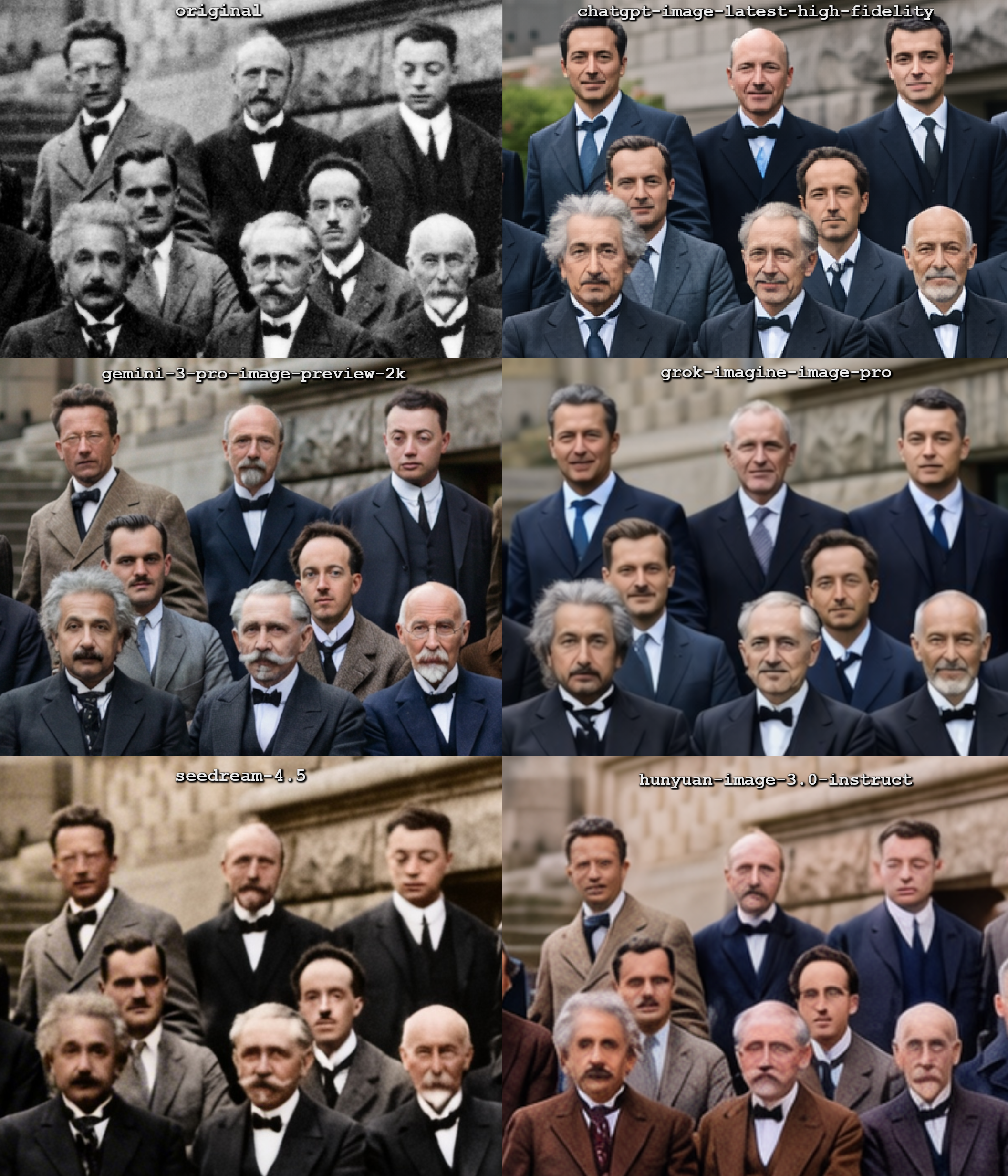
Comparison in hallucinations by the top image editing models in Arena when asked to colorize a picture (cropped zoom in  — singularity

Hybrid photoreal + watercolor portrait

A portrait of a violinist mid-performance, photographic skin and instrument detail, but the surrounding stage and audience rendered as soft watercolor washes that bleed into the background, warm spotlight on the violinist, 3:4 portrait framing.

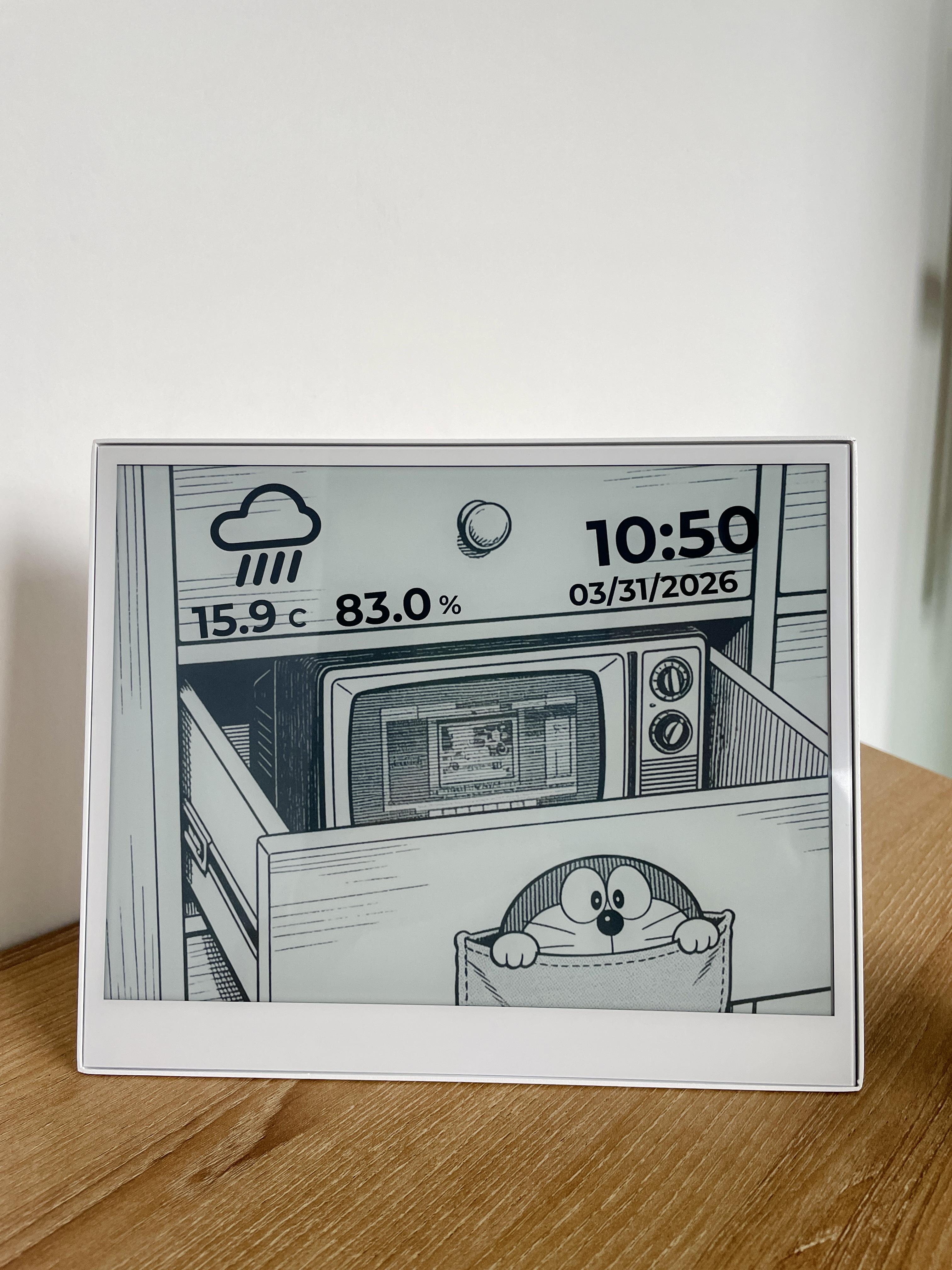
Doraemon's Time and Weather on an ePaper — eink

Architectural concept render

A minimalist concrete house on a cliff overlooking the Pacific Ocean at golden hour, infinity pool in the foreground, glass walls reflecting sky, warm interior lighting visible through windows, drone perspective, architectural photography, fine concrete and water surface detail.

GPT 1.5 Image vs Nano Banana Pro vs Seedream 4.5 vs Flux 2 Max vs Grok 2 Image — singularity

How to Use Seedream 4.5 on PromeAI

Refined editing consistency and small-font text rendering on top of Seedream 4.0.

  1. 01

    Sign up to PromeAI

    Get 100 free credits; Seedream 4.5 is best paired with 4.0 for comparing edits.

  2. 02

    Pick Seedream 4.5 in the generator

    Use 4.5 when you need refined editing consistency, portrait beautification, or sharper small-font text rendering over the 4.0 baseline.

  3. 03

    Describe and generate

    Same multi-reference and resolution profile as 4.0 but with upgraded edit fidelity — preferred for portrait work and text-heavy compositions.

Seedream 4.5 tutorials on YouTube

Creator coverage of Seedream 4.5 since its release — prompt tests, side-by-side comparisons with 4.0 and Nano Banana, and workflow tutorials.

Seedream 4.5 Review: The Best AI Image Generator for Consistent Batch Creation

Learn how Seedream 4.5 generates up to 15 consistent AI images in one batch using multi-reference inputs and maintains perfect style consistency across entire marketing campaigns—ranked #1 in the text-to-image AI Arena. 🔥Play with Seedream…

Watch on YouTube ↗

How to Access Seedream 4.5 4K Image Generator for Free

In this video, I show you how to access SeaDream 4.5 4K Image Generator and test its image quality using real prompts. SeeDream 4.5 is capable of generating high-resolution 4K images with realistic detail, cinematic lighting, and…

Watch on YouTube ↗

How to Generate INCREDIBLE Images with Seedream 4.5 Completely FREE

👉 In this video, I will show you how to access and use Seedream 4.5 completely free, including advanced features like image editing with reference photos and precise control over your AI-generated visuals. This tool helps designers,…

Watch on YouTube ↗

Create Ultra Realistic AI Images of Yourself - Seedream 4.5 Prompt Guide

Seedream 4.5 can generate consistent and realistic images of your AI Influencers better than Nano Banana Pro. But not knowing right prompt might give you unrealistic results. This video teaches you Master your Seedream prompting within few…

Watch on YouTube ↗

Seedream 4.5 is Here — Incredible Cinematic AI Images (vs Nano Banana Pro)

The new Seedream 4.5 model is here, setting a high standard for cinematic 4K AI image generation. Try Seedream 4.5 →…

Watch on YouTube ↗

Seedream 4.5 Explained - Real Control, Consistency & Precision (Dreamina Tutorial)

Try Dreamina Here : https://bit.ly/hancybox Seedream 4.5 inside Dreamina is a major leap forward in visual generation — not just in style, but in precision, structure, and control. In this tutorial, I break down the latest Seedream 4.5…

Watch on YouTube ↗

Seedream 4.5 4K Images for FREE

Seedream 4.5 FREE. Stop paying monthly for AI art tools — Seedream 4.5 is now accessible without a subscription, and most people don’t even know it. In this video, I’m showing a fully working method to use Seedream 4.5 for free using Guest…

Watch on YouTube ↗

Seedream 4.5 is INSANE | Better Than Nano Banana Pro

Seedream 4.5 is INSANE | Better Than Nano Banana Pro. Seedream 4.5 is the newest and most powerful AI image generation model designed for creators, designers, marketers, and content producers. In this video, we break down what Seedream 4.5…

Watch on YouTube ↗

NEW Seedream 4.5 Update Is INSANE!

Want to make money and save time with AI? Join here → https://juliangoldieai.com/1jvjBq Seedream 4.5 just dropped and this update is absolutely insane. ByteDance has upgraded everything. Perfect text rendering, realistic human faces, and…

Watch on YouTube ↗

Seedream 4.5 4K Images for FREE - Unlimited Image Create Method

Seedream 4.5 4K Images for FREE - Unlimited Image Create Method Seedream 4.5 FREE. Seedream 4.5 is now accessible without a subscription, and most people don’t even know it. In this video, I’m showing a fully working method to use Seedream…

Watch on YouTube ↗

NEW Seedream 4.5 Photoshop Plugin Review (Is it good?)

Seedream 4.5 Photoshop Plugin: https://university.pouyaeti.com/eti-image-photoshop-plugin EtiCut Video Editor: Will be available soon Seedream 4.5 Website: https://seed.bytedance.com/en/seedream4_5 Replicate.com: https://replicate.com/ ➡️…

Watch on YouTube ↗

5 Best Websites to Use Seedream 4.5 for FREE

5 Best Websites to Use Seedream 4.5 for Free. . In this video, I’m sharing 5 best websites to use Seedream 4.5 for free. All these platforms officially offer free access or free credits, so you can test Seedream 4.5 and see the results…

Watch on YouTube ↗

Seedream 4.5 discussions on Reddit

r/StableDiffusion, r/aigeneratedart, and r/MediaSynthesis threads tracking Seedream 4.5's improvements over 4.0 — useful for creators deciding which version to use.

aivideos

I used AI to turn my 'Elf on the Shelf' burnout into a cinematic Hip-Hop Music video. Recreated 20+ movie scenes at Elf Scale.

I used Nano Banana Pro and Seedream 4.5 for start frames, and mainly Veo 3.1 for animating. Kling 2.5 for Jurassic Park scene and Kling 01 for the final dance sequence using a Lil Yachty clip to model the dance. Wrote a similar song, used Chat GPT to put it into a 140bpm format and shave words a

View 39 comments
LocalLLaMA

Qwen released Qwen-Image-2512 on Hugging face. Qwen-Image-2512 is currently the strongest open-source model.

Qwen released Qwen-Image-2512 on Hugging face. Qwen-Image-2512 is currently the strongest open-source model. +1 more

Hugging face: [https://huggingface.co/Qwen/Qwen-Image-2512](https://huggingface.co/Qwen/Qwen-Image-2512) What’s new: • More realistic humans — dramatically reduced “AI look,” richer facial details • Finer natural textures — sharper landscapes, water, fur, and materials • Stronger text rendering

View 8 comments

Seedream 4.5 posts on X

Curated X posts featuring Seedream 4.5 outputs and prompt walkthroughs, with side-by-side comparisons against 4.0 and other frontier models.

Seedream 4.5 FAQ

Direct answers to the questions creators ask most about Seedream 4.5 in PromeAI.

What is Seedream 4.5?

Seedream 4.5 is ByteDance's most recent text-to-image generation model — the successor to Seedream 4.0 — with improved prompt adherence and cleaner fine detail at 4K. PromeAI hosts Seedream 4.5 directly in its text-to-image workspace alongside Seedream 4.0, Nano Banana, and GPT Image.

How is Seedream 4.5 different from Seedream 4.0?

Seedream 4.5 ships with tighter prompt adherence on multi-clause prompts, cleaner fine detail at 4K (skin, fabric, foliage), and better handling of hybrid photoreal + stylized prompts. Use 4.5 as the default for new work and keep 4.0 available for prompts already tuned for it.

Should I use Seedream 4.5 or Nano Banana?

Seedream 4.5 has wider aspect-ratio coverage and is strong on photoreal + stylized hybrids. Nano Banana (Gemini 2.5 Flash Image) is stronger on multi-image consistency and tight character preservation across a series. A/B both in PromeAI's model dropdown on the same prompt.

Can Seedream 4.5 generate at 4K?

Yes. Seedream 4.5 outputs natively at 2K or 4K in PromeAI — pick the resolution in the generator panel above. No separate upscaler required.

How do I use Seedream 4.5 in PromeAI?

Open PromeAI's text-to-image workspace, pick Seedream 4.5 from the model dropdown, choose aspect ratio and resolution, write your prompt (subject + lighting + composition + style), and click Generate.

Is Seedream 4.5 free to try?

PromeAI's free credit allocation covers initial Seedream 4.5 generations. After the free tier, generations consume PromeAI credits — no separate ByteDance subscription or Volcano Engine account required.

Try Seedream 4.5 in PromeAI

Open PromeAI's text-to-image workspace with Seedream 4.5 preselected. Run a prompt, A/B against 4.0 and Nano Banana, ship the best result.

Open Seedream 4.5 in PromeAI