Seedream 4.0 — ByteDance's Photorealistic Image Model

ByteDance's flagship text-to-image model — tuned for photorealism, fine-grained prompt adherence, and wide aspect ratios including 21:9 ultrawide. Free in PromeAI up to 4K.

Seedream 4.0 vs other PromeAI image models

Compare Seedream 4.0 against newer ByteDance variants and adjacent frontier image models available in PromeAI's text-to-image workspace.

Seedream 4.0 prompt examples

Three reference prompts that play to Seedream 4.0's strengths: photorealism, wide composition, and fine textile detail.

21:9 cinematic landscape

Sunrise over a misty Patagonian mountain range, low golden light catching jagged peaks, a single hiker on a ridgeline for scale, ultrawide 21:9 framing, sharp foreground rocks, painterly distance haze, captured on a 24mm lens.

I tried creating an Instagram AI creator! MEET SHREYA. — AI_India

Product detail on textured material

A bronze pocket watch resting on weathered oak with linen draping, soft north-window light, dust motes in the air, macro lens at f/2.8, shallow depth of field, editorial still-life aesthetic.

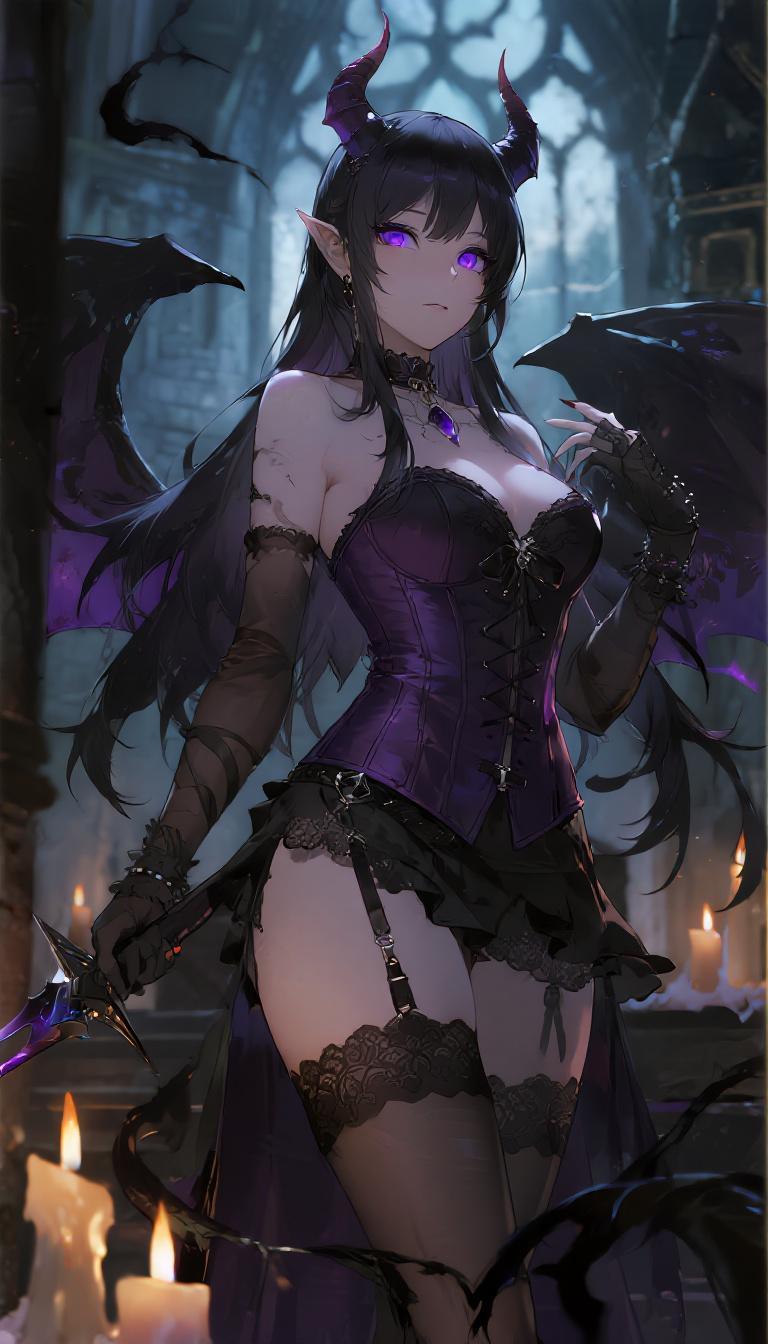
Half-Demonic Warlock — dndai

Editorial portrait with fabric detail

A woman in a cream wool sweater standing in front of a brutalist concrete wall, soft window light from the left, slight head tilt, looking past the camera, 50mm lens, shallow depth of field, fashion editorial color grade.

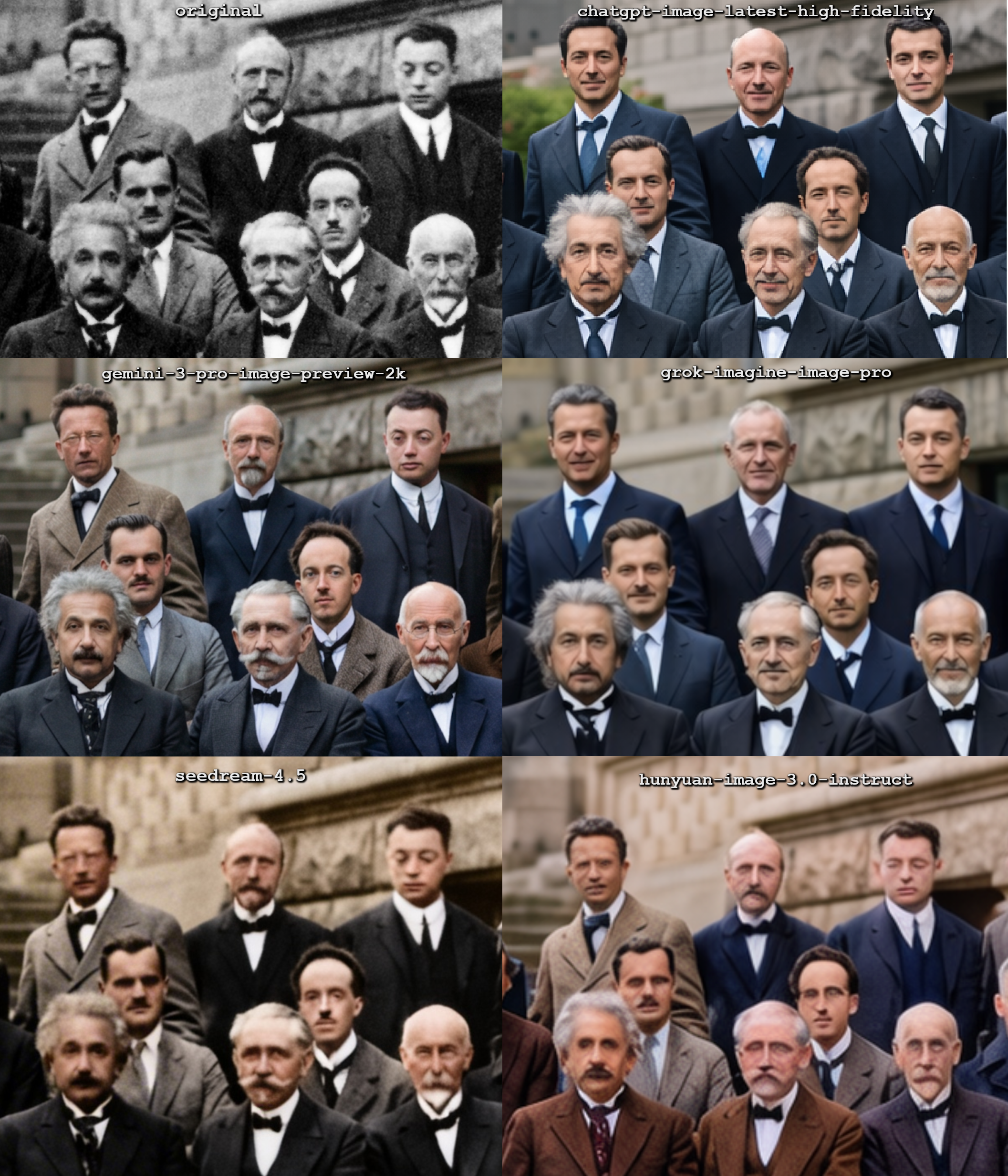
Comparison in hallucinations by the top image editing models in Arena when asked to colorize a picture (cropped zoom in  — singularity

How to Use Seedream 4.0 on PromeAI

ByteDance's top text-to-image leaderboard model.

  1. 01

    Sign up to PromeAI

    100 free credits with sign-up — test Seedream 4.0's leaderboard-topping image quality.

  2. 02

    Pick Seedream 4.0 in the generator

    Switch to Seedream 4.0 in the model selector. Combine up to 10 reference images in a single generation for fusion workflows.

  3. 03

    Describe and generate

    Outputs up to 4K resolution in ~10 seconds. Supports accurate in-image text rendering in multiple languages including English and Chinese.

Seedream 4.0 tutorials on YouTube

Creator-led tutorials covering Seedream 4.0 prompt structure, comparison tests, and end-to-end workflows.

How to Generate INCREDIBLE Images with Seedream 4.5 Completely FREE

👉 In this video, I will show you how to access and use Seedream 4.5 completely free, including advanced features like image editing with reference photos and precise control over your AI-generated visuals. This tool helps designers,…

Watch on YouTube ↗

🌱 How to Use SeedDream 4 for Free: Easy API Key Access & 4k Image Generation

Try Nano Banana Seed Dream Free Chrome extension ➡️ https://chromewebstore.google.com/detail/free-nano-bananaseeddream/jbnnimcibbkelkcfbclchfaokefniipd Unlock the power of SeedDream 4.0 by Bytedance (the parent company of TikTok)! In this…

Watch on YouTube ↗

How to Use Seedream 4.0 for Free | Ultimate AI Image Model

Seedream 4.0 is already at the top of the text-to-image and image editing leaderboard. There are a few ways to use Seedream 4.0 for free. It is not directly available on the Seedream website, unlike nano banana, which can be accessed via…

Watch on YouTube ↗

STOP Wasting Money on AI Tools: Try Seedream 4.0

Register via my exclusive link and instantly receive $1 credits 👉 https://wavespeed.ai/?utm_source=malva_ai Try Seedream 4.0 today and test multi-image generation for FREE. WaveSpeedAI is the ultimate platform for next-gen AI media…

Watch on YouTube ↗

Seedream 4.0 + Kling AI is Crazy For AI Video Transitions

Seedream 4.0 + Kling AI is Crazy For AI Video Transitions All in one AI video generator I used 👉 http://openart.ai/home/?ref=aitransitions Kling AI + Runway Act two + Seedream 4.0 + Nano Banana = crazy for making AI video transitions.…

Watch on YouTube ↗

13 Mind-Blowing 🤯 Bytedance Seedream 4.0 Examples (Including Prompts, Guides & Walkthroughs)

Bytedance Seedream 4.0 is here — and it’s changing AI image generation forever. In this video, I break down 13 of the best Seedream 4.0 examples with full prompts and guides, showing you how this next-gen AI tool goes beyond Nano Banana.…

Watch on YouTube ↗

The FREE AI Image Generator You NEED for Print-on-Demand (Seedream 4.0)

🎓 Free Amazon Merch Webinar → https://www.merchprofitacademy.com/ (For sellers who used to sell well but now feel stuck — especially higher-tier sellers!) ⚠️ Update: The “Try Now” button now redirects to a different platform. The correct…

Watch on YouTube ↗

Seedream 4.0 For Architecture and Design (Nano Banana Killer?)

Not long ago Google released the AI model Nano Banana that went viral for its ground breaking image editor, that really did an outstanding job at maintaining image consistency and understanding its context. What we didn’t expect was that…

Watch on YouTube ↗

How to Use Seedream 4.0 FREE | Create 4K, Consistent AI Images

The most powerful AI image generator: https://cutt.ly/Xr3EApV0 ----------------------------------------------------- Seedream 4.0 FREE Tutorial | Create 4K, Character-Consistent AI Images vs Nano Banana Seedream 4.0 is the most powerful AI…

Watch on YouTube ↗

Seedream 4.5 4K Images for FREE

Seedream 4.5 FREE. Stop paying monthly for AI art tools — Seedream 4.5 is now accessible without a subscription, and most people don’t even know it. In this video, I’m showing a fully working method to use Seedream 4.5 for free using Guest…

Watch on YouTube ↗

Seedream 4.0 FREE Tutorial 😮 | AI Help

Seedream 4.0 kaise use kare | ByteDance AI Image Generator | Free Access Seedream 4.0 - ByteDance का 4K AI image generation model जो 1.8 seconds में ultra-quality images बनाता है! 🎨⚡ इस video में सीखें: ✅ LMArena & Yupp AI पर FREE…

Watch on YouTube ↗

Create Ultra Realistic AI Images of Yourself - Seedream 4.5 Prompt Guide

Seedream 4.5 can generate consistent and realistic images of your AI Influencers better than Nano Banana Pro. But not knowing right prompt might give you unrealistic results. This video teaches you Master your Seedream prompting within few…

Watch on YouTube ↗

Seedream 4.0 discussions on Reddit

Threads from r/StableDiffusion, r/aigeneratedart and adjacent subreddits — early creator reactions, failure modes, and prompt tricks for ByteDance's Seedream lineup.

singularity

Gemini 3 Pro Image (Nano Banana Pro) takes #1 on LMArena with a record breaking +84 point lead over SOTA

Gemini 3 Pro Image (Nano Banana Pro) takes #1 on LMArena with a record breaking +84 point lead over SOTA

The new LMArena leaderboard update just dropped and the numbers are statistically an outlier. **The Data (Official Breakdown):** **#1 Text to Image** (+84 pt lead) and **#1 Image Edit** (+41 pt lead) Usually, top models fight for a tiny 5-10 point lead (like the constant back and forth grinding b

View 64 comments

Seedream 4.0 posts on X

Hand-picked X posts with Seedream 4.0 outputs, prompt walkthroughs, and side-by-side comparisons with Nano Banana and GPT Image.

Seedream 4.0 FAQ

Direct answers to the questions creators search for most about ByteDance's Seedream 4.0 image model.

What is Seedream 4.0?

Seedream 4.0 is ByteDance's flagship text-to-image generation model. It produces photorealistic images at up to 4K with wide aspect-ratio coverage including 21:9 ultrawide. PromeAI hosts Seedream 4.0 directly in its text-to-image workspace alongside Seedream 4.5, Nano Banana, and GPT Image.

How does Seedream 4.0 compare to Seedream 4.5?

Seedream 4.5 is the newer ByteDance image model with refined prompt adherence and detail rendering. Seedream 4.0 remains useful for slightly different stylistic outputs and for prompts that already worked well on 4.0. A/B both inside PromeAI's model dropdown without switching tools.

What aspect ratios does Seedream 4.0 support?

Seedream 4.0 supports 1:1, 16:9, 9:16, 4:3, 3:4, 3:2, 2:3, and 21:9. The 21:9 ultrawide option is rare among image models — useful for cinematic stills, banner art, and platform-specific creative.

Can Seedream 4.0 generate at 4K directly?

Yes. Seedream 4.0 in PromeAI outputs natively at 2K or 4K — pick the resolution in the generator panel above. No separate upscaler step required for hero banners, print, or high-DPI digital.

How do I use Seedream 4.0 in PromeAI?

Open PromeAI's text-to-image workspace, select Seedream 4.0 in the model dropdown, choose an aspect ratio and resolution, write a prompt describing subject, lighting, and composition, and click Generate.

Is Seedream 4.0 better than Nano Banana for photorealism?

Both are strong on photorealism. Seedream 4.0 has wider aspect-ratio coverage (21:9 ultrawide) and native 4K. Nano Banana excels at multi-image consistency. Test both inside PromeAI on the same prompt before committing to one for a project.

Start creating with Seedream 4.0

Open PromeAI's text-to-image workspace with Seedream 4.0 preselected. Paste your prompt, choose 4K, and generate — no ByteDance Volcano Engine account required.

Open Seedream 4.0 in PromeAI