


Apply a Local Revision and Check for Visual Regression
Use client markup, an approved baseline image, and related views to isolate a requested change, propagate it where needed, and document what passed or failed comparison.
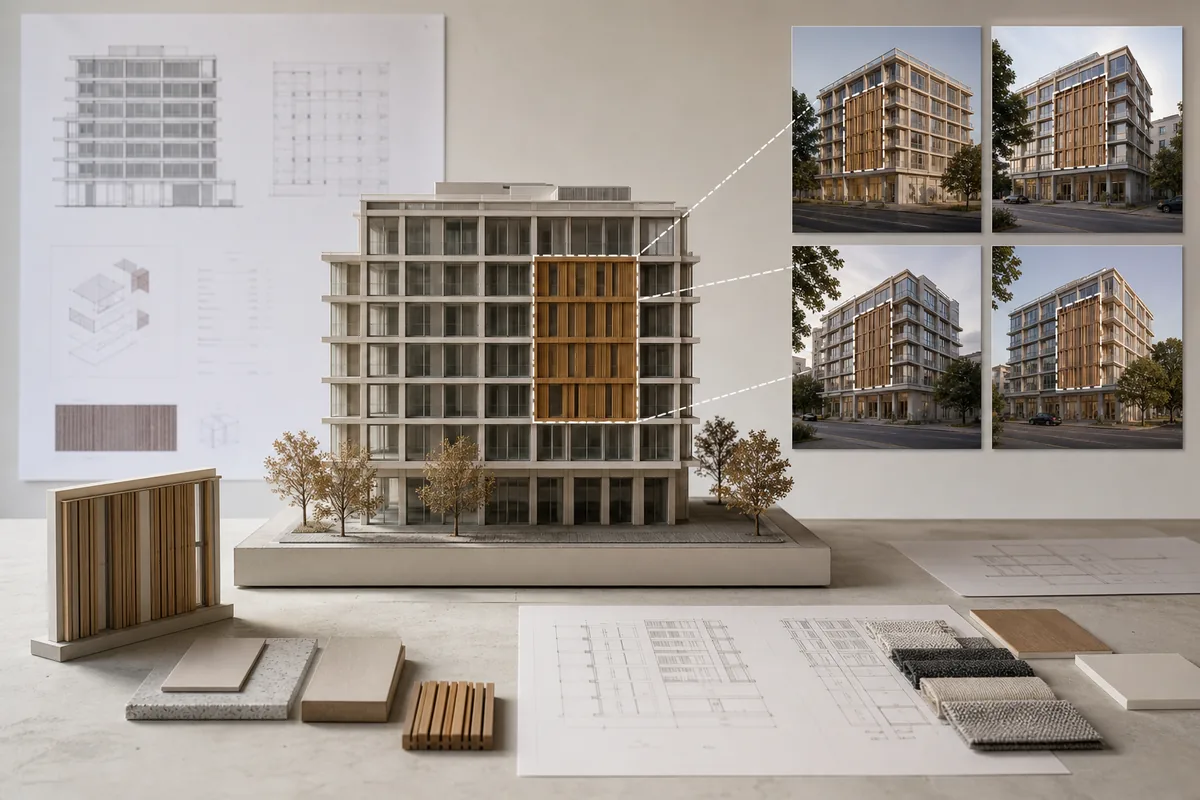
See the Workflow Run
The actual workflow — connected nodes you can run to preview each step.
Where Regression Checking Protects Approved Work
Professional capabilities powered by AI.
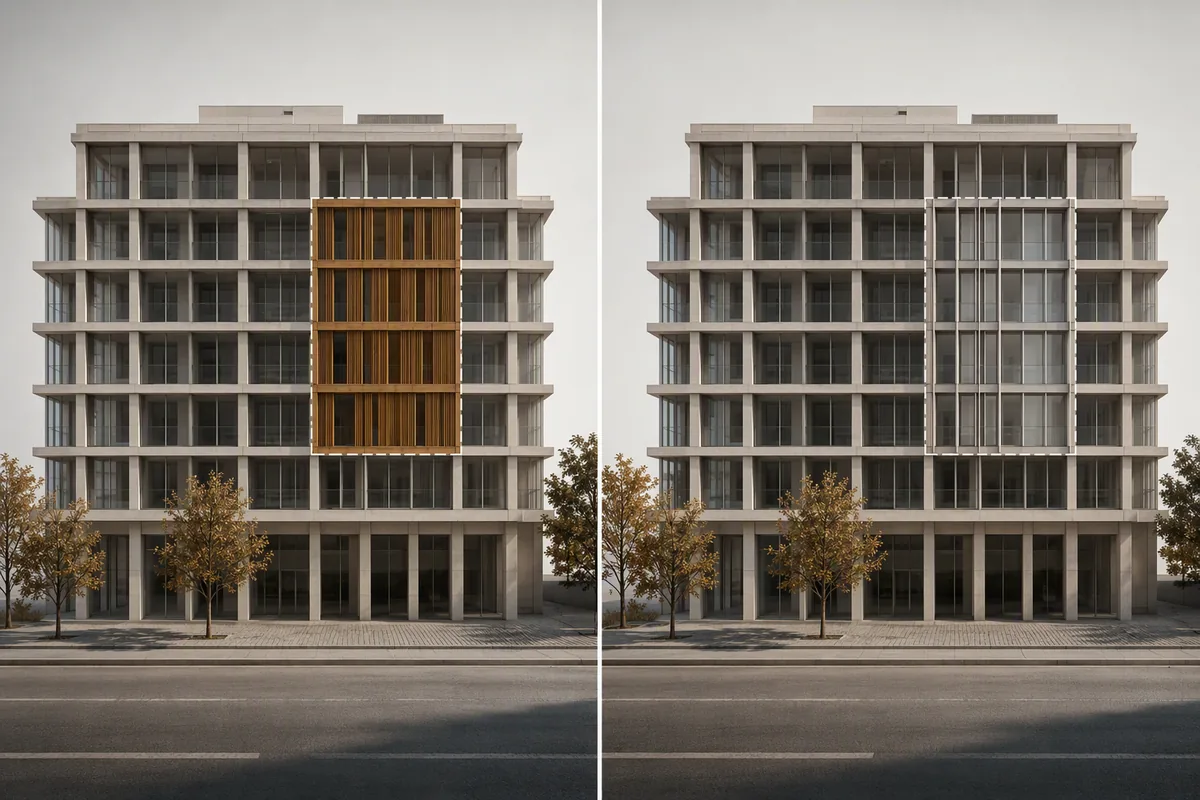
Revise a Client-Marked Area
Change one element while retaining a clear comparison with the image or view that was previously approved.
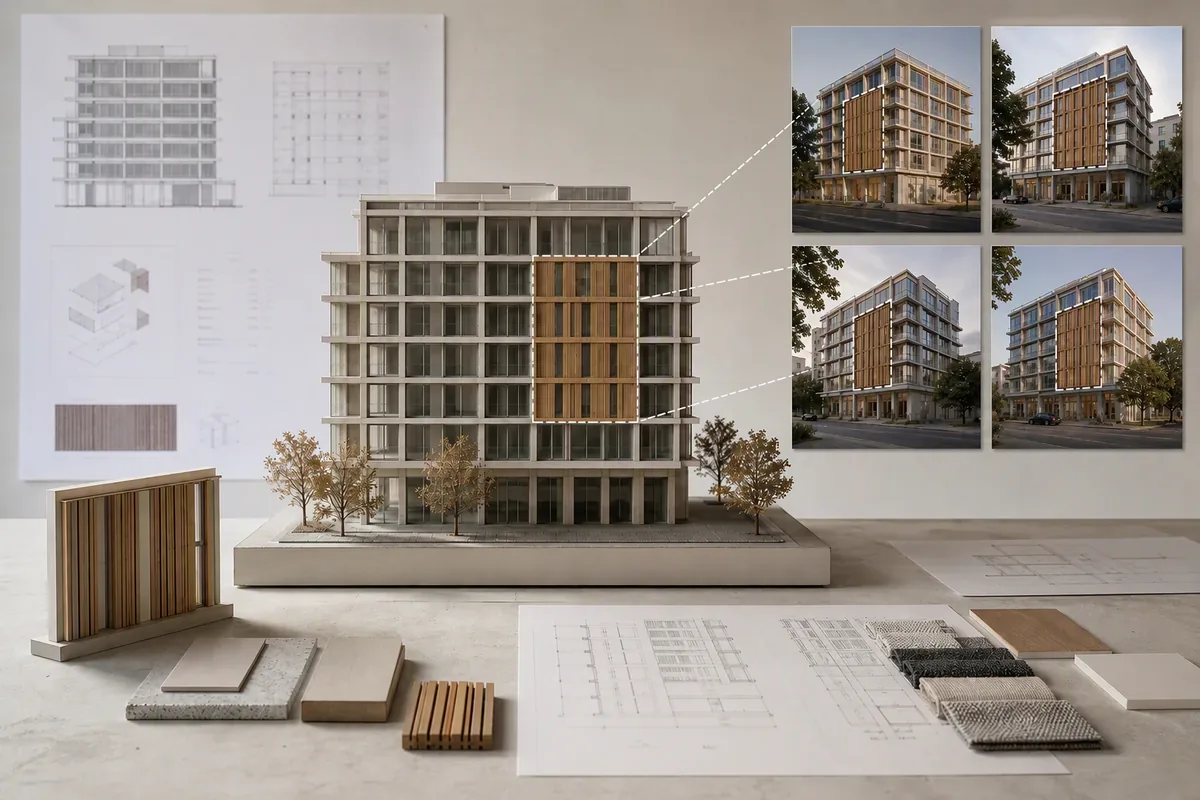
Propagate a Decision Across Views
Verify that a coordinated revision appears where required without creating conflicting representations.

Prepare an Approval Check
Give reviewers a focused record of what changed and which surrounding conditions still match the baseline.
Define What Must Change and What Must Not
Set the revision boundary before generating an update. Include the target element, affected relationships, and any views that should receive the same decision.
Compare more than the edited pixels. Perspective, shadows, reflections, geometry edges, material transitions, and neighboring objects can reveal unintended regression.
A visual match is not proof of technical coordination. Keep pass/fail notes tied to the available images and escalate dimensioned or model-based checks separately.
Frequently Asked Questions
Revise the Target Without Losing Sight of the Baseline
Apply the requested change, inspect unintended differences, and leave a clear pass/fail record for review.

Technical support: tech@promeai.pro
Business collaboration: business@promeai.pro